ABSTRACT TEMPLATE
Your research, in one page.
An editable Word template for your title, authors, research summary and references.
Download abstract templateFrom your first abstract to your final slide, prepare a contribution that helps people understand your work.
AUTHOR RESOURCES ERaNS NEXTGEN
START WITH THE OFFICIAL FILES
The structure is ready.
Make the research your own.
An editable Word template for your title, authors, research summary and references.
Download abstract template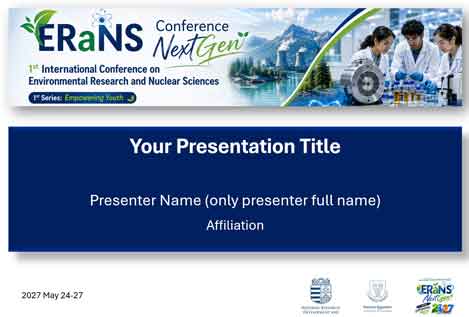 PPTX
The official PowerPoint design, with opening, content and closing slides.
Download presentation template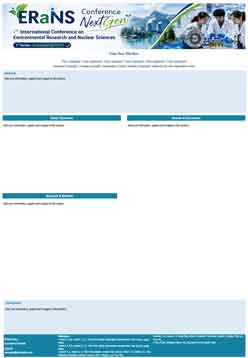 PPTX
An editable poster with space for your objectives, methods, results and conclusions.
Download poster templateWHY USE THE OFFICIAL TEMPLATES?
Follow a consistent layout so reviewers and participants can find the information that matters.
Review the call for abstracts and check conference dates and fees .
The templates make room for the required research details and conference identity.
Retain the supplied layout and typography. Use your figures and words to explain your findings.
The official abstract template is mandatory. Using the official slide or poster template is required for best-presenter award consideration.
PREPARATION, STEP BY STEP
Clear instructions.
A checklist you can work through.
YOUR FIRST SCIENTIFIC INTRODUCTION
Write in English. Use the official template and keep the whole document within one page and 500–800 words. Figures, tables and references must fit without changing the required formatting.
Replace the title and author placeholders. Check author order and affiliations with your coauthors. Use only the main organization name and identify the presenter with an email address.
Introduce the problem, state the aim, explain the methods, present key results and discussion, then finish with the conclusion. Use specific findings wherever possible.
Cite other studies when you use their findings. Label and cite any figures or tables in the text. Check the final page in Word before submitting.
Create a participant account and use the official submission portal. Email submissions are not accepted. Each participant may submit at most two abstracts; submission and conference registration are separate.
Use the template's guidance to balance the sections:
These are preparation guidelines. The final abstract must meet both the word limits and the one-page limit.
HELP THE ROOM FOLLOW YOUR RESEARCH
It is strongly recommended to use the official PowerPoint template, keep its 4:3 layout, and preserve its fonts and font sizes. The standard oral slot is 20 minutes; your final programme assignment takes priority.
Add your presentation title, presenter name and affiliation. Duplicate a content slide or use New Slide to extend the presentation. Complete the closing slide with your contact details.
Explain the question, approach, findings and conclusions. Keep each slide focused and make labels and figures legible. Retain the template's typography.
Time your talk against your assigned slot and follow the chair's instructions for questions. Keep animations simple. Embedded media is not recommended; arrange a compatibility check if it is essential.
Submit through your participant dashboard at least one day before presenting. Keep the file within 100 MB and follow the dashboard's supported extension requirements.
Presentations run on the conference's central presentation and projection system. You cannot present directly from your own laptop.
Discuss any essential demonstration or special technical setup with the Organizer in advance.
LET YOUR FINDINGS START A CONVERSATION
Prepare an A0 portrait poster: 841 mm wide × 1189 mm high. The official poster template is strongly recommended and is required for best-presenter award consideration.
Keep the accepted title, authors and affiliations accurate. Populate the abstract, objectives, materials and methods, results and discussion, conclusion and reference sections. Include acknowledgments and disclosures where applicable.
Use readable text, clear figure captions and good contrast. Replace every sample text box and keep the A0 portrait canvas unchanged.
Inspect dimensions, fonts, graphs and image quality at the intended print size. You may bring your printed poster or request advance printing through the dashboard for an additional fee.
Follow the installation times in the final programme booklet. Mounting materials or tools are provided. Stay beside your poster throughout your assigned session and remove it by the following morning, checking the exact time with staff.
You can print the poster at home and bring it with you. Alternatively, to make your travel more convenient,
the conference organizers can print the poster on your behalf and deliver it to you at the registration desk.
To use this service, submit an advance printing request through your participant dashboard no later than 15
days before the conference begins. You are responsible for checking the content of the submitted file and
ensuring that it is suitable for printing.
On-site poster printing is not available. Exporting a PDF can help you proof your layout, but follow the dashboard's requirements for the file you submit.
FIND YOUR PLACE IN THE PROGRAMME
Prepare for the format
assigned to your accepted work.
Accepted work assigned an oral slot is presented in English. The standard slot is 20 minutes, subject to programme requirements.
Present your accepted work on an A0 portrait poster. Be present at the assigned board to explain your findings and answer questions.
Invited speakers may have a different duration. The Organizing Committee will communicate the assigned time and arrangements.
The conference is primarily in person. Virtual participation is exceptional, considered case by case with prior written approval.
You may indicate a presentation preference when submitting. The Organizer or Scientific Committee determines the final format. Approval, programme updates and your assigned instructions take priority.
A FEW THINGS WORTH CHECKING
Answers to common preparation questions.
Explore the full conference FAQThe official abstract template is required. The presentation and poster templates are strongly recommended and are required for best-presenter award consideration.
No. Use the official submission portal through your participant dashboard. A user account is required; conference registration is a separate process.
You may indicate your preference, but it is not guaranteed. The Organizer or Scientific Committee assigns the final presentation format.
A file alone does not fulfil the presentation requirement. Virtual participation requires prior written approval and live delivery. Confirm any exceptional arrangements with the Organizer.
Verify author order, affiliations and presenter contact details with your coauthors. Cite sources correctly, check permissions for reused material and include required disclosures.
Check your participant dashboard, the official programme and conference announcements. Presentation files are due at least one day before presenting; advance printing requests are due no later than 15 days before the conference begins.